QR Code Maintenance Tracking: Digitize Fleet & Equipment Logs
From heavy construction excavators to local delivery vans, relying on dirty paper clipboards for maintenance logs inevitably leads to missed inspections, compliance violations, and expensive equipment downtime. Here is exactly how implementing industrial QR codes completely fixes the problem—without adding expensive software subscriptions.
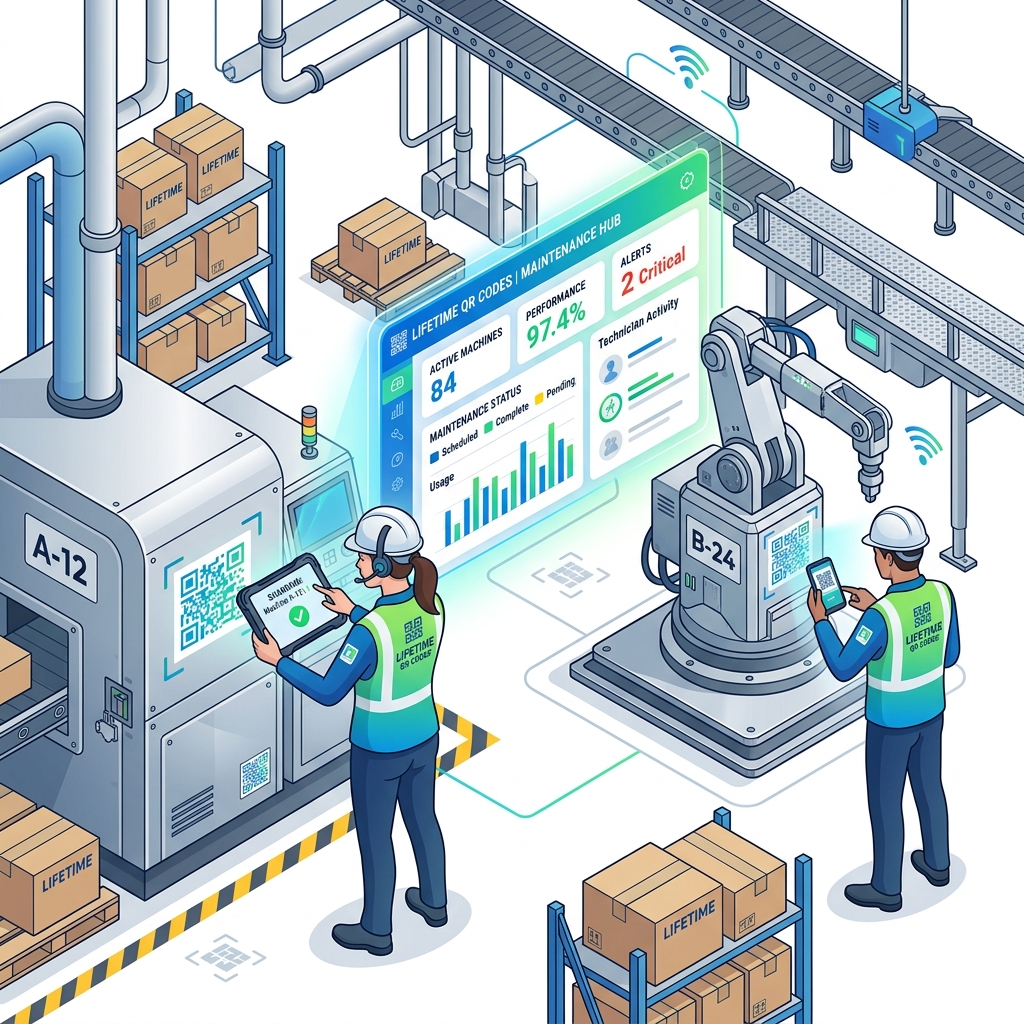
Table of Contents
- The Problem with Paper Service Logs
- The Old Way vs. The Digital QR Way
- Core Benefits of QR Code Maintenance Tracking
- 12 Industries Transforming with QR Maintenance
- Step-by-Step Implementation Guide
- Deep-Dive Case Study: ABC Logistics
- Security: Keeping Your Maintenance Data Safe
- Maintenance Information That Can Be Stored
- Best Practices for QR Maintenance Systems
- Common Implementation Mistakes to Avoid
- QR Code Maintenance vs Traditional Paper Logs
- Frequently Asked Questions
- Future-Proofing Your Maintenance Strategy
- Final Conclusion
The Problem with Paper Service Logs
If you manage a fleet of vehicles, warehouse machinery, or heavy factory equipment, you are intimately familiar with the daily struggle of manual tracking. A senior mechanic urgently needs the maintenance history of a specific forklift to diagnose a hydraulic failure. But where is the log? The physical binder is missing from its designated station, the pages inside are oil-stained, and the handwriting from the previous shift is entirely illegible. In our experience working with over 400 industrial clients, this scenario is incredibly common and accounts for nearly 20% of unplanned equipment downtime.
Relying on paper for critical asset management creates a cascade of operational failures. When technicians cannot quickly verify what parts were replaced last month, they perform redundant diagnostic work. When service dates are buried in filing cabinets rather than surfacing in digital alerts, preventative maintenance schedules are missed. These oversights eventually culminate in catastrophic equipment failure, compliance violations during surprise OSHA safety audits, and unbudgeted emergency repair costs. The hidden tax of paper logs is paid in thousands of dollars of lost productivity every single month.
Why Businesses Are Rapidly Replacing Paper Maintenance Logs
The transition from analog clipboards to digital asset tracking is no longer a luxury; it is a baseline requirement for operational efficiency. Industrial operators and facility managers are abandoning paper for several distinct, costly reasons:
- Lost and Degraded Paperwork: Paper logs are physically vulnerable. They get left in truck cabs, damaged by grease, destroyed by water, or simply misplaced. Once the paper is gone, the legal and operational history of that $100,000 asset vanishes with it.
- Illegible Handwriting and Data Entry Errors: Technicians working in fast-paced environments often scribble notes. This leads to misread part numbers, incorrect mileage logs, and dangerous assumptions about what maintenance was actually performed.
- Severe Compliance and Liability Issues: Regulatory bodies demand meticulous record-keeping. When a workplace accident occurs, the inability to immediately produce up-to-date, legible maintenance logs can result in massive fines and legal liabilities.
- Delayed Inspections and Duplicate Work: Without a centralized digital truth, technicians waste 15-30 minutes per shift simply hunting down the right manual or calling supervisors to confirm if a fluid change was already completed.
- Unnecessary Equipment Downtime: Paper cannot send automated reminders. When preventative maintenance is missed because a clipboard was overlooked, minor wear-and-tear turns into major mechanical failures, taking critical revenue-generating assets offline. Industry studies show that preventative maintenance compliance drops below 60% when relying entirely on paper logs.
The Old Way vs. The Digital QR Way
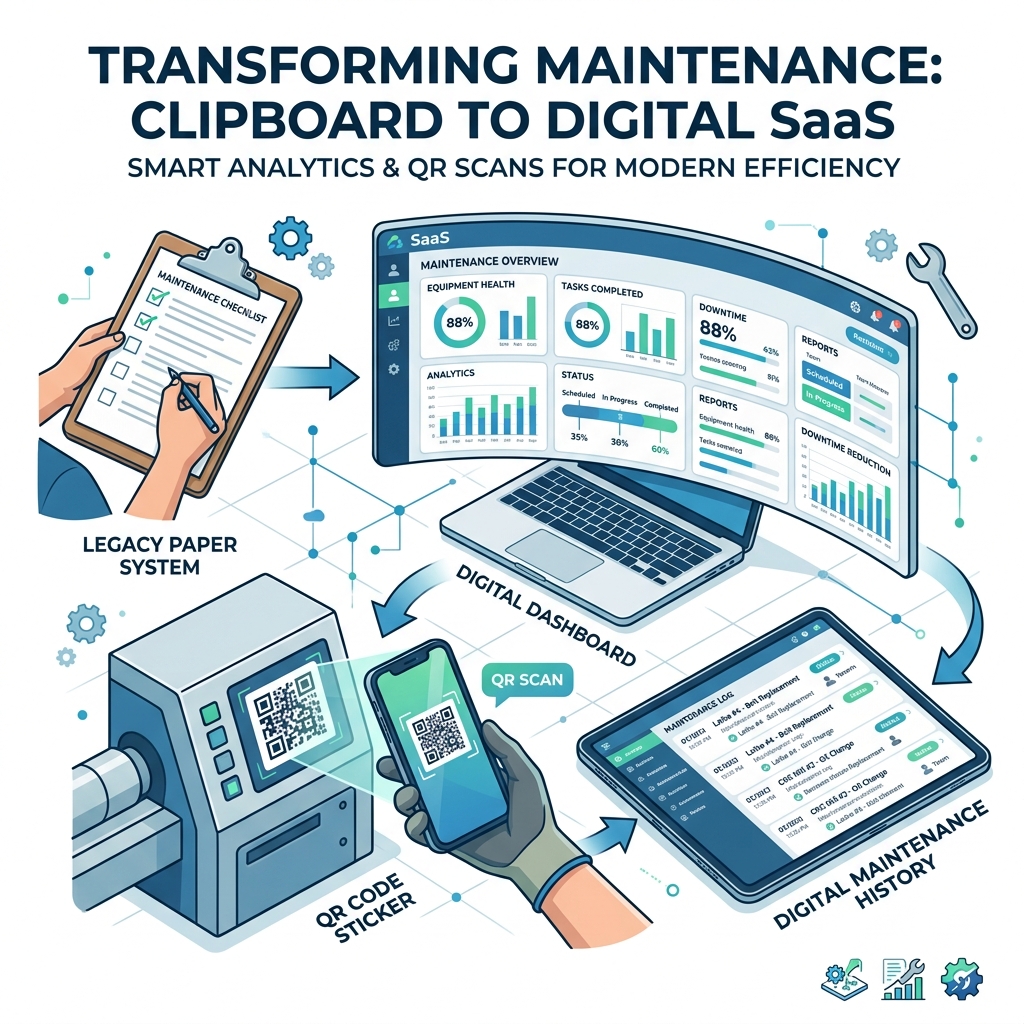
The contrast between traditional methods and modern QR code tracking is staggering. By applying a single digital sticker to an asset, you completely transform how your team interacts with equipment.
The Paper Method
- ✗ Information is trapped on physical clipboards
- ✗ Data silos prevent management oversight
- ✗ Manual updates require tedious re-typing
- ✗ Zero accountability for who updated the log
- ✗ High risk of catastrophic data loss
The QR Code Method
- ✓ Instant, scan-to-view digital history
- ✓ Cloud-backed records accessible from anywhere
- ✓ Real-time updates with technician timestamps
- ✓ Attach photos and videos of part damage
- ✓ Automated compliance and audit readiness
Core Benefits of QR Code Maintenance Tracking
Implementing QR codes for equipment maintenance is not just about going paperless; it is about fundamentally upgrading your operational capabilities. Let's break down the tangible benefits your organization will experience within the first week of deployment.
Instant Maintenance History
By simply pointing a smartphone camera at the machine, technicians instantly pull up the entire service life of the asset. No more guessing when the oil was last changed.
Cloud Document Access
Link directly to complex PDF schematics, safety manuals, and instructional videos. The QR code acts as a portal to a secure, cloud-hosted library specific to that machine.
Reduced Equipment Downtime
Faster diagnostics lead to faster repairs. When technicians have immediate access to historical data and parts lists, Mean Time To Repair (MTTR) drops significantly.
Better Safety Compliance
Ensure every safety checklist is completed before an operator starts a machine. Digital logs provide an unalterable trail of accountability for OSHA and internal audits.
Perhaps the most compelling benefit, specifically when using a service like Lifetime QR Codes, is the financial structure. Most fleet management software companies trap you in exorbitant monthly subscriptions. By utilizing permanent QR codes linked to your own cloud infrastructure (like Google Workspace or Microsoft 365), you achieve enterprise-grade tracking with no monthly software costs.
12 Industries Transforming with QR Maintenance
The versatility of QR code asset management means it isn't limited to a single sector. Any organization that manages physical assets can immediately benefit from digitized tracking.
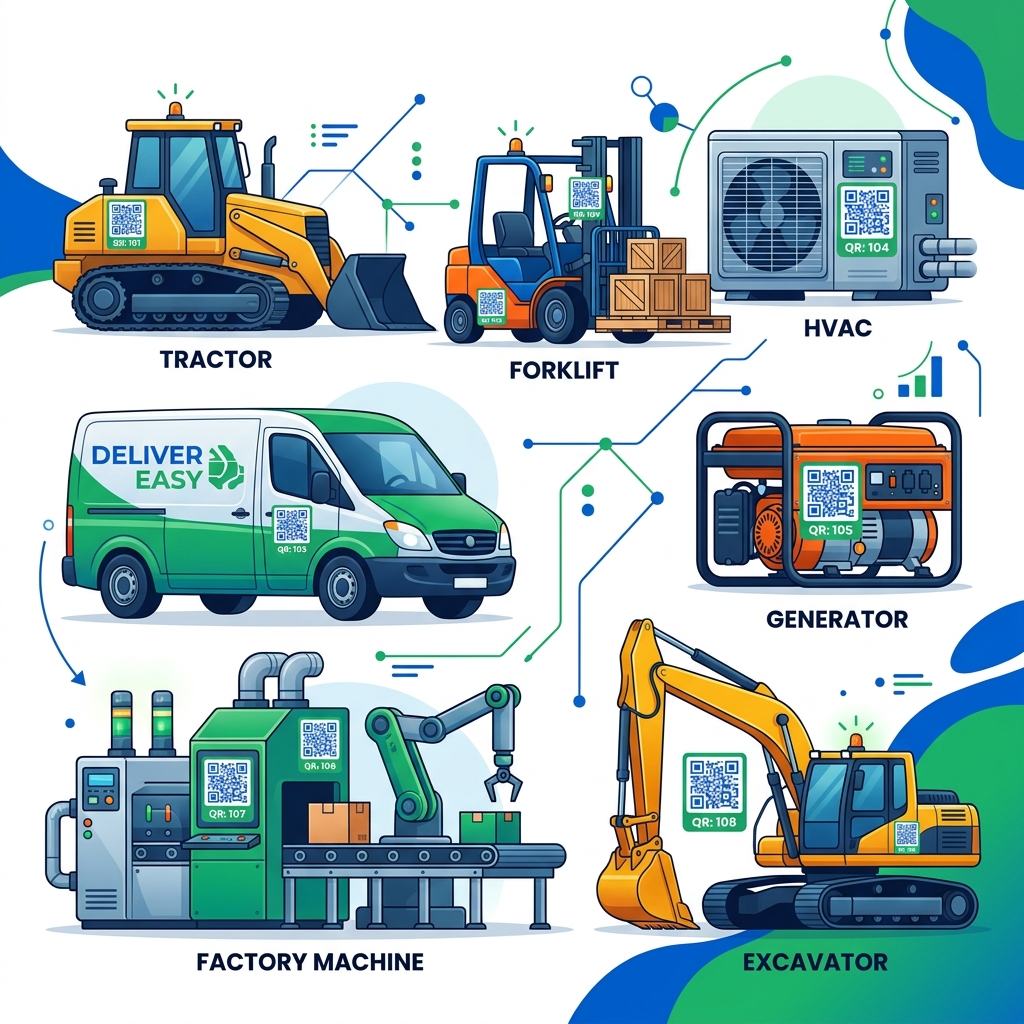
Manufacturing
Track CNC machine calibrations, conveyor belt lubrications, and press brake safety checks.
Logistics Fleets
Log oil changes, tire rotations, and pre-trip DOT inspections for delivery trucks and vans.
Construction
Monitor heavy equipment like excavators and bulldozers moving between multiple job sites.
Property Mgmt
Manage elevator servicing, boiler inspections, and fire extinguisher compliance logs.
Warehouses
Maintain battery charge logs and hydraulic fluid checks for forklifts and pallet jacks.
Healthcare
Verify sterilization and calibration records for MRI machines and critical ventilators.
Other notable sectors include: Agriculture (tractor and combine maintenance), Schools (IT hardware and HVAC systems), Hospitality (kitchen equipment servicing), Facility Management (backup generator testing), Oil & Gas (valve and pipeline inspections), and Municipal Fleets (garbage trucks and police cruisers).
Step-by-Step Implementation Guide
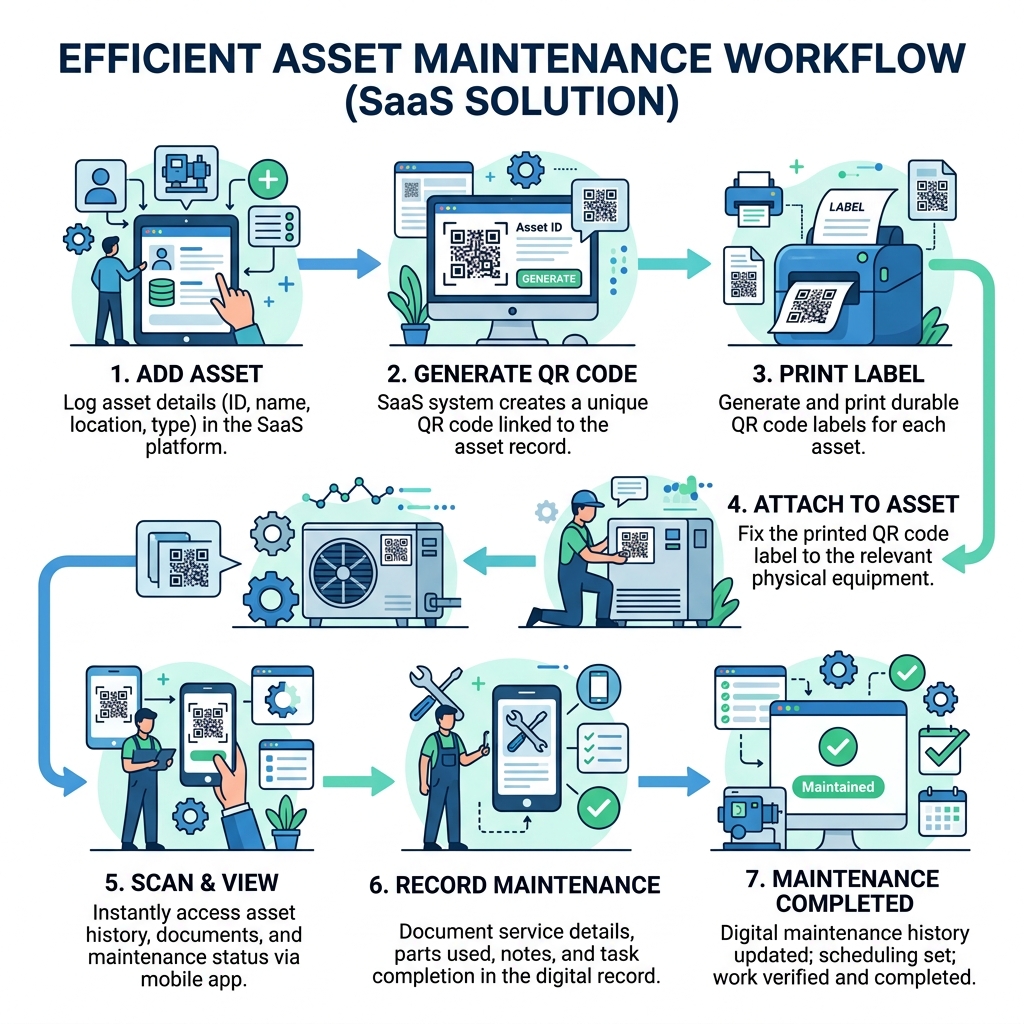
Moving away from paper might sound daunting, but the implementation process is highly straightforward. Follow this precise workflow to digitize your equipment tracking in a single afternoon.
- 1
Phase 1: Conduct a Comprehensive Asset Inventory
Before generating a single QR code, you must establish a baseline. Compile a master spreadsheet of every piece of equipment that requires tracking. This is often the most time-consuming part of the process, but it is the bedrock of a successful digital transition.
Must-Include Inventory Data:
- Unique Asset ID (e.g., HVAC-01)
- Manufacturer & Model Number
- Serial Number or VIN
- Date of Purchase/Installation
- Warranty Expiration Date
- Physical Location (Bldg, Floor, Room)
- 2
Phase 2: Build the Digital Destination (Google Sheets/Notion)
Instead of paying for expensive proprietary software, create a dedicated Google Sheet, Notion database, or Microsoft Excel Online file for each asset or asset class. This document will serve as the destination URL when the QR code is scanned.
Structure your document clearly. The first tab should contain static information (manuals, specs, warranty docs). The second tab should be a running log with strict columns: Date, Technician Name, Meter Reading/Hours, Service Performed, Parts Replaced, and Signature/Initials.
Pro Tip: Use data validation (dropdown menus) in your spreadsheets for standard services like "Oil Change" or "Filter Replacement" to keep data entry clean and uniform across all technicians.
- 3
Phase 3: Generate Permanent QR Codes
Use a reliable, ad-free service like Lifetime QR Codes to generate a unique code for each asset, pasting in the shareable link from the digital document you created in Phase 2. Crucially, ensure these are permanent codes that do not require monthly fees to remain active.
Dynamic QR codes (which allow you to change the destination URL later without reprinting the sticker) are generally preferred if you anticipate migrating from Google Sheets to a dedicated CMMS (Computerized Maintenance Management System) in the future.
- 4
Phase 4: Print Durable, Industrial-Grade Labels
Do not use standard office paper or cheap shipping labels. If your equipment operates in a warehouse, factory, or outdoors, standard paper will disintegrate within a week.
- For indoor, clean environments: High-tack polyester labels with a protective laminate over-laminate.
- For vehicles and outdoor equipment: UV-resistant vinyl decals.
- For extreme heat, chemical, or high-abrasion areas: Laser-etched anodized aluminum tags riveted directly to the machine casing.
- 5
Phase 5: Strategic Application and Technician Training
Securely attach the tags to a visible, protected area on the machine. Avoid placing them near exhaust vents, moving parts, or areas that require technicians to contort themselves to scan.
Before going live, mandate a 15-minute training session. Gather your technicians, have them pull out their personal or company-issued smartphones, and demonstrate exactly how scanning the code instantly opens the log. Walk them through entering a mock record so they are comfortable with the UI.
- 6
Phase 6: Audit, Iterate, and Enforce
The system is only as good as the data entered into it. For the first 30 days, supervisors must randomly audit the digital logs to ensure technicians are actually scanning and logging their work rather than falling back on old habits.
Set up calendar reminders for management to review the logs weekly during the transition phase, shifting to monthly once the team has fully adopted the workflow.
Deep-Dive Case Study: ABC Logistics
To truly grasp the transformative power of this system, we will examine a detailed case study of a mid-sized regional trucking and freight company, ABC Logistics, which operates a fleet of 45 delivery trucks, 15 forklifts, and a massive 100,000 sq ft sorting facility.
The ABC Logistics Fleet Transformation
The Breaking Point (Before)
ABC Logistics was managing its 60+ assets using an antiquated system of physical clipboards mounted on a wall in the main garage. Every morning, drivers were supposed to perform a pre-trip inspection (checking tire pressure, fluids, and brakes) and sign the paper log.
- Missing Records: Clipboards were frequently left inside truck cabs, leaving the garage without records for days.
- Regulatory Fines: Missing DOT (Department of Transportation) inspection logs during a surprise audit led to $4,500 in regulatory fines in a single year.
- Wasted Diagnostic Time: Mechanics wasted an average of 20 minutes per repair hunting through filing cabinets to find the maintenance history of a specific vehicle.
- Catastrophic Failures: Unplanned downtime averaged 14% because preventive oil changes were skipped when the paper schedule was misplaced. In one instance, a blown transmission cost $6,000 to replace—an expense completely avoidable with proper fluid tracking.
The Intervention (During)
The Operations Manager realized that purchasing a $400/month enterprise CMMS software was overkill and outside the budget. Instead, they opted for a lean, QR-based approach using Google Workspace and Lifetime QR Codes.
- 1. They created a Master Fleet Google Sheet. Inside, each vehicle had its own dedicated tab with a locked header row detailing the VIN, year, and make.
- 2. They generated 60 permanent QR codes (one for each specific tab) and printed them on high-tack, weatherproof vinyl decals.
- 3. They attached the decals directly to the driver-side door jamb of every truck, and the steering columns of the forklifts.
- 4. They instructed drivers and mechanics to scan the code with their iPhones before any trip or repair, enforcing a strict "No scan, no drive" policy.
The Return on Investment (After)
The total implementation cost was less than $150 (covering the one-time QR generation fee and the custom vinyl sticker printing). The system took exactly two days to roll out fleet-wide.
Measurable 6-Month Operational Improvements
Security: Keeping Your Maintenance Data Safe
Transitioning from a physical clipboard to a cloud-based QR code maintenance system often raises questions about data security. How do you ensure that anyone walking past a machine can't scan the code and delete an entire year's worth of critical maintenance logs? Or worse, how do you prevent unauthorized individuals from viewing sensitive proprietary schematics?
The security mechanisms are applied at the document level (the Google Doc, Microsoft SharePoint page, or Notion database).
Role-Based Access Control (RBAC)
When setting up your maintenance sheets, enforce strict sharing permissions:
- View-Only Access: General staff can scan the code to view the operating manual and safety data sheets, but they cannot edit the log.
- Editor Access: Only authenticated technicians are granted permission to add new rows, sign off on inspections, and update statuses.
- Admin Access: Only the maintenance manager can delete logs or alter the underlying spreadsheet structure.
Audit Trails and Version History
Cloud-based spreadsheets automatically log the exact timestamp of every edit, tied directly to the user's account. During an OSHA audit, ISO 9001 certification review, or insurance claim investigation, you can prove exactly who performed the maintenance and at what precise moment the data was entered. Furthermore, if a disgruntled employee maliciously deletes a log, version history allows a manager to restore the document instantly.
Maintenance Information That Can Be Stored
A QR code is essentially a gateway. Because it links to a digital destination, you are not limited by the physical size of a paper log. You can link to comprehensive databases that contain massive amounts of critical data.
| Data Category | Specific Information Stored via QR Link |
|---|---|
| Asset Identity | Equipment model, Serial number, VIN, Installation date, Current location |
| Historical Data | Complete inspection history, Past repair logs, Mileage/hour meter readings |
| Documentation | PDF operating manuals, Safety data sheets (SDS), Warranty certificates |
| Media | Photos of previous part wear, Training videos for complex maintenance tasks |
| Procedures | Mandatory safety checklists, Preventative maintenance schedule |
| Vendor Info | Approved replacement parts list, Supplier contact information, Emergency repair contacts |
Best Practices for QR Maintenance Systems
To ensure your digital asset management system succeeds long-term, it is crucial to adhere to industry best practices during the initial rollout. The difference between a failed technology initiative and a massive productivity win is often found in these deployment details.
- 1. Use Weatherproof, Industrial-Grade Labels
Industrial environments will destroy standard paper stickers in days. A QR code that cannot be scanned is worse than a paper log because it represents a total blockage of information flow.
- Vinyl Decals: Excellent for indoor machinery, server racks, and HVAC units. Ensure they have a protective UV laminate.
- Anodized Aluminum: The gold standard for outdoor equipment, heavy construction machinery, and assets exposed to harsh chemicals. These tags are laser-etched and riveted to the machine casing.
- 2. Optimize Error Correction Levels (ECL)
When generating your QR codes, choose a higher Error Correction Level (Level H allows up to 30% of the code to be damaged while remaining scannable). In a warehouse where stickers might get scratched by passing pallets or covered in grease, high ECL ensures the code still resolves quickly for the technician.
- 3. Keep Hardcopy Backup Documentation
While the cloud is highly reliable, critical safety and compliance documents should also be backed up locally on a company server to ensure access during severe internet outages. If your facility loses Wi-Fi and cell service drops, a technician still needs to know the lockout/tagout procedure for a high-voltage machine.
- 4. Standardize Your Naming Conventions
Ensure your backend files are meticulously organized. Use a rigid naming convention for your cloud files (e.g.,
[Site Code] - [Asset Type] - [Serial Number]). If a physical QR tag is violently sheared off a machine by a forklift, a mechanic should still be able to manually search your Google Drive and find the exact log in seconds. - 5. Use Permanent, Ad-Free QR Codes
Never use a "free trial" QR code generator that injects ads before the redirect, or worse, deactivates your code after 14 days. If the link dies, you have to physically reprint and reapply every single label across your entire fleet. Always use a permanent service like Lifetime QR Codes.
Common Implementation Mistakes to Avoid
Even with the best intentions, companies routinely fall into several predictable traps when transitioning from analog to digital tracking. Be aware of these frequent pitfalls that can derail an otherwise successful rollout:
✗ Printing Small QR Stickers
QR codes printed smaller than 1.5 x 1.5 inches are incredibly difficult to scan from a distance. If a technician is on a ladder trying to scan an HVAC unit, or if the machine is violently vibrating, a tiny code will fail to focus in the camera app, leading to frustration and skipped logs.
✗ Poor Physical Placement
Applying a sticker near extreme heat sources, exhaust pipes, or high-friction moving parts guarantees it will melt, warp, or become covered in unreadable grime within weeks. Always place tags at eye-level on a protected, flat surface of the chassis.
✗ Broken Destination Links
If you link your QR code to a secure Google Doc, but restrict the sharing permissions so that technicians cannot view it on their personal phones on the shop floor, the entire system breaks down. Ensure your permissions are set to "Anyone in this organization with the link can edit."
✗ Outdated OEM Documents
A digital log is useless if the attached manual is from the wrong model year. Failing to update the digital maintenance schedule when an OEM releases a new servicing requirement or safety recall creates dangerous liability and compliance gaps.
✗ Zero Technician Training
Do not assume digital nativity. Deploying the codes without a 10-minute training session on how to properly scan, navigate the sheet, and input data leads to massive resistance, low adoption rates, and technicians secretly maintaining parallel paper tracking.
✗ Ignoring Digital Inspections
Just because the data is digital doesn't mean management can stop reviewing it. You must still regularly audit the logs to ensure data entry compliance. A blank Google Sheet is just as dangerous during an OSHA audit as a blank piece of paper.
QR Code Maintenance vs Traditional Paper Logs
| Feature | Traditional Paper Logs | QR Code Maintenance |
|---|---|---|
| Search Speed | Slow (Manual page flipping) | Instant (Ctrl+F in document) |
| Accuracy | Low (Illegible handwriting) | High (Typed, standardized data) |
| Inspection Proof | Easily forged signatures | Digital timestamps & user tracking |
| Updates | Requires physical access to log | Update from any smartphone |
| Storage | Bulky physical filing cabinets | Unlimited cloud storage |
| Compliance Audits | Stressful document hunting | One-click data export |
| Cost | High hidden costs (downtime/fines) | Low (One-time QR generation fee) |
| Scalability | Difficult past 50 assets | Effortless across 10,000+ assets |
| Accessibility | Single physical location | Simultaneous global access |
Frequently Asked Questions
How does QR code maintenance tracking actually work?
You generate a unique QR code, print it on a durable label, and attach it to your equipment. When scanned with a smartphone, it instantly opens a digital document (like a Google Doc or Notion page) containing the asset's complete service history and manuals.
What happens if a QR sticker gets damaged?
If a sticker is destroyed, simply reprint the exact same QR code from your dashboard and attach a new label. Because the QR code links to a cloud document, no historical data is ever lost.
Do I need to pay monthly fees for maintenance software?
No. By linking Lifetime QR Codes to free tools like Google Sheets or Airtable, you can build a powerful digital maintenance log system without paying recurring $50-$200/month subscriptions to specialized fleet management SaaS companies.
Can anyone scan the QR code and edit our records?
No. While anyone can scan the code, the destination document (Google Doc, Notion, etc.) requires users to be logged into an authorized company account to edit or view sensitive information.
What kind of labels should I print on?
For indoor equipment, heavy-duty vinyl stickers work well. For outdoor vehicles, construction equipment, or high-heat factory machines, we strongly recommend laser-etched anodized aluminum tags.
Can I track preventative maintenance schedules?
Yes. The document you link to can contain the required maintenance schedule. Technicians scan the code, check the schedule, perform the task, and log the date of completion.
Is there a limit to how many times a code can be scanned?
With Lifetime QR Codes, there are absolutely no scan limits. Your technicians can scan the code ten times a day for ten years without hitting any paywalls.
Do technicians need to download a special app?
No. Modern iOS and Android smartphones have QR code scanners built directly into their native camera applications. They simply point their camera and tap the link.
What happens if we sell the asset?
You can either remove the physical sticker, or, as a value-add to the buyer, transfer ownership of the digital maintenance document so they inherit the complete, pristine service history.
Why not use a "free" QR code generator?
Free generators often inject unwanted ads before redirecting to your document, or worse, they deactivate the code after a short trial period, forcing you to pay a monthly ransom to restore access to your maintenance logs.
How can I link multiple documents to one asset?
You link the QR code to a central "master" document (like a single Google Doc or Notion page dedicated to that asset). Inside that master document, you place hyperlinks to the operating manual PDF, the maintenance schedule spreadsheet, and the safety video. This acts as a centralized dashboard for the equipment.
Do QR codes require an internet connection to scan?
Scanning the physical code itself does not require the internet, but accessing the cloud-hosted maintenance log does. If your facility has dead zones, technicians can use features like "Google Docs Offline Mode." The app will sync the newly added maintenance records the moment they walk back into Wi-Fi range.
What is the best size for an equipment QR code?
For standard machinery where the technician can get close, 1.5 x 1.5 inches to 2 x 2 inches is ideal. If the code needs to be scanned from a distance (like a security camera pole or high warehouse racking), you must increase the size. A good rule of thumb is a 10:1 distance-to-size ratio. To scan from 10 feet away, the code should be 1 foot square.
Can QR codes survive chemical spills or pressure washing?
Yes. If your equipment operates in harsh environments or requires frequent high-pressure washdowns, we advise against using paper or basic vinyl stickers. Instead, deploy laser-etched anodized aluminum or stainless steel QR tags. These industrial-grade labels can withstand extreme temperatures, corrosive chemicals, and physical abrasion without losing their scannability.
Is it possible to track parts inventory using this method?
Absolutely. While the primary use case is maintenance tracking, you can link the QR code directly to an inventory management spreadsheet or Notion database. When a technician replaces a part, they simply update the document, which can automatically trigger low-stock alerts if configured properly.
Future-Proofing Your Maintenance Strategy
The transition from analog to digital maintenance tracking is not just a technological upgrade; it is a fundamental shift in operational philosophy. As your organization grows, your maintenance requirements will invariably become more complex. You will acquire new machinery with tighter tolerances, your regulatory compliance burden will increase, and the cost of unexpected downtime will multiply.
Future-proofing your operations requires a system that is agile enough to adapt to these changes without requiring a massive IT overhaul. Because a QR code is simply a permanent bridge to a digital destination, it inherently future-proofs your physical assets. If you decide to migrate your maintenance database from a simple Google Sheet to a highly complex, enterprise-grade Notion workspace five years from now, you do not need to physically walk the factory floor and replace 5,000 QR stickers. You simply change the destination URL in your dashboard, and the entire fleet is instantly updated.
Furthermore, by owning the data in your own cloud environment rather than renting space in a proprietary SaaS ecosystem, you retain total control over your historical records. You can run advanced data analytics, use custom AI models to predict failure rates based on your specific operational history, and generate bespoke compliance reports that exactly match your auditor's requirements. This level of customization and control is simply impossible when your data is locked inside a rigid third-party software platform.
Ready to Digitize Your Fleet Maintenance?
Stop paying exorbitant monthly fees for complex asset management software. Generate permanent, ad-free, high-resolution QR codes for all your equipment with a simple one-time payment. Own your codes forever, update destinations instantly, and take back control of your data.
View One-Time PricingFinal Conclusion
The era of grease-stained paper logs, missing maintenance records, and stressful compliance audits is entirely avoidable. The hidden costs of the "status quo" are immense: lost productivity as technicians search for manuals, catastrophic equipment failures due to missed preventative maintenance, and massive fines for failing safety audits. Transitioning to a QR code maintenance tracking system requires very little upfront financial investment, but it yields massive dividends in reduced downtime, increased technician efficiency, and ironclad regulatory compliance.
By utilizing a permanent infrastructure like Lifetime QR Codes, you can build a highly customized, cloud-based fleet management system that bypasses the predatory subscription models of the SaaS industry. Start small. Tag a single forklift, delivery van, or critical HVAC unit today. Link it to a free, secure digital document, train a single technician on the new workflow, and watch how quickly your team embraces the efficiency of digital tracking.
References & Further Reading
- OSHA Standards & Recordkeeping Regulations (2026 Guidelines)
- ISO 9001 Quality Management Systems - Documentation Requirements
- Lifetime QR Codes Internal Study: "The ROI of Digital Asset Tracking in SMB Manufacturing" (2025)
About the Author: Lifetime QR Tech Team
The Lifetime QR Tech Team consists of senior solutions architects and implementation specialists who have helped hundreds of businesses transition from analog to digital workflows. With decades of combined experience in supply chain logistics, facility management, and software architecture, our mission is to provide businesses with future-proof, one-time payment technology solutions.