Permanent QR Code Tattoos.
Without Monthly Fees.
- Change the destination anytime
- Keep the same tattoo forever
- One-time payment, no subscriptions
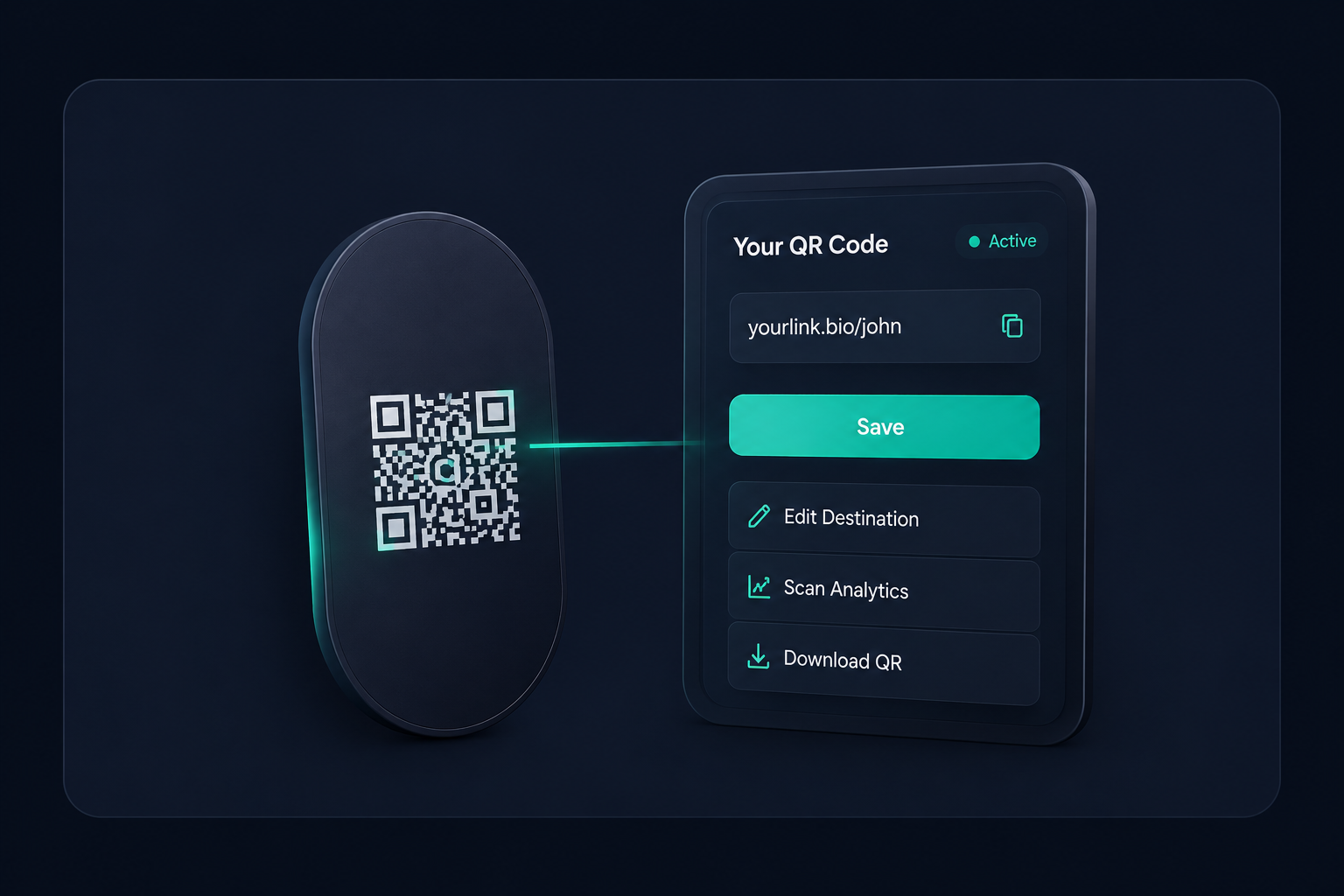
Why Most QR Code Tattoos Are Risky
Many QR codes become outdated quickly. Social profiles change, websites restructure, and subscription services expire. Static QR codes cannot adapt, leaving you with a permanent broken link on your skin.
Lifetime QR Codes provides the permanent, editable solution you need.
How It Works
Create
Create your QR code
Test
Test it before getting tattooed
Ink
Get the tattoo
Update
Change the destination anytime
Keep
Keep using the same tattoo for years
Why QR Tattoos Need Editable QR Codes
Update Links Anytime
Route your tattoo to a new video, portfolio, or social profile instantly through your dashboard.
Keep One Tattoo Forever
No need for cover-ups or laser removal. The physical ink stays identical while the digital destination evolves.
No Monthly Fees
Avoid the trap of monthly subscription platforms that turn off your QR code the moment you stop paying.
Works With Websites, Socials, Portfolios, and More
Universal compatibility ensures your tattoo can link to any valid URL on the internet, now or in the future.
Scan Analytics
Track how many times your tattoo has been scanned, when, and from what geographic locations.
Long-Term Ownership
A one-time payment secures your redirect infrastructure. It's your asset, your tattoo, your legacy.
Tattoo Use Cases
Portfolio Tattoo
Link directly to your design, photography, or development portfolio. Update the URL when you build a new site.
Music Artist Tattoo
Route fans to your latest single, album drop, Spotify profile, or upcoming tour dates.
Social Media Tattoo
Point to your Instagram today, TikTok tomorrow, or whatever platform dominates the future.
Business Owner Tattoo
A permanent digital billboard on your skin linking to your company, special offers, or booking page.
Digital Business Card Tattoo
Share your contact information instantly. Update your phone number or email without getting a new tattoo.
Memorial QR Tattoo
A beautiful tribute linking to a loved one's digital memorial, obituary, or video compilation.
Real-World Scenarios
See how a single, permanent tattoo adapts to your life's changes.
Today
Instagram Profile
Future
Personal Website
Today
Design Portfolio
Future
Business Website
Today
Linktree
Future
Custom Brand Website
Result: The tattoo remains exactly the same.
Can You Change a QR Code Tattoo Later?
Yes, if the QR code is editable.
The tattoo itself never changes, but the destination can be updated anytime. This is why dynamic lifetime QR codes are ideal for tattoos.
Recommended QR Tattoo Sizes
| Placement | Recommended Size |
|---|---|
| Wrist | 2" x 2" (Minimum) |
| Forearm | 2.5" x 2.5" to 3" x 3" |
| Upper Arm | 3" x 3" or larger |
| Shoulder | 3" x 3" or larger |
| Calf | 3" x 3" or larger |
Why avoid very small QR tattoos? Over time, tattoo ink naturally spreads and blurs slightly under the skin. If a QR code is too small, the data modules (the little squares) will bleed together, making the code impossible for cameras to scan.
Testing is critical. Always have your artist place the stencil on your skin, and try scanning it with multiple different smartphones before any ink is applied.
Tattoo placement matters. Flat surfaces of the body (like the forearm or calf) are much better for QR codes than highly curved areas (like the wrist). A flat surface prevents the code from wrapping and distorting, which can break the scanner's ability to read the code.
Test Before You Ink!
Never get a QR code tattoo before thoroughly testing it.
The Pre-Ink Checklist
- Test on iPhone
- Test on Android
- Test in bright light
- Test in low light
- Test printed versions
- Test scan distance
- Verify final destination
Pro Tip
Print your QR code on paper at the exact intended size. Tape it to your body where you want the tattoo. If your phone struggles to scan the paper, it will definitely struggle to scan the tattoo. Scale it up until it scans instantly!
Share This Checklist With Your Tattoo Artist
Why scanner accuracy matters:
Smartphones use computer vision algorithms to detect the three large squares (position markers) and read the data modules. If lines blur, contrast is low, or the code wraps too much around a curved body part, the camera cannot decode the pattern. Precision is everything.
Why QR Code Tattoos Fail
Tattoo too small
Ink spreads over time. If the squares are too tiny, they blur together and become unreadable.
Poor contrast
Using light colors or low-contrast ink makes it difficult for camera sensors to distinguish the pattern.
Excessive customization
Adding too much art, removing position markers, or altering the core structure breaks the code.
No testing before tattooing
Assuming the stencil will scan without actually testing it with a smartphone camera first.
Static QR code limitations
Using a free static QR code that links to a broken or deleted webpage permanently.
Expired destinations
Using a subscription service that disables your QR code when you stop paying the monthly fee.
How Lifetime QR Codes Helps Avoid These Issues
Our dynamic architecture protects you against expired destinations and static limitations. By allowing you to edit the destination URL indefinitely for a one-time payment, we eliminate the two biggest risks of QR code tattoos: broken links and monthly subscription traps.
Create your secure, editable QR codeTattoo-Safe QR Code Best Practices
Before You Get a QR Tattoo
- Test multiple phones (iOS and Android)
- Verify scan distance and angle
- Avoid overly complex designs (keep it low-density)
- Use high contrast (black ink on skin works best)
- Confirm destination settings in dashboard
- Save backup designs
- Verify future flexibility of the URL provider
Why Lifetime QR Codes?
| Feature | Lifetime QR | Subscription Platforms |
|---|---|---|
| One-Time Payment | ||
| No Monthly Fees | ||
| Editable Links | ||
| True Ownership | ||
| Long-Term Cost | $49 fixed | $100s per year |
| Tattoo Suitability | Perfect | High Risk |
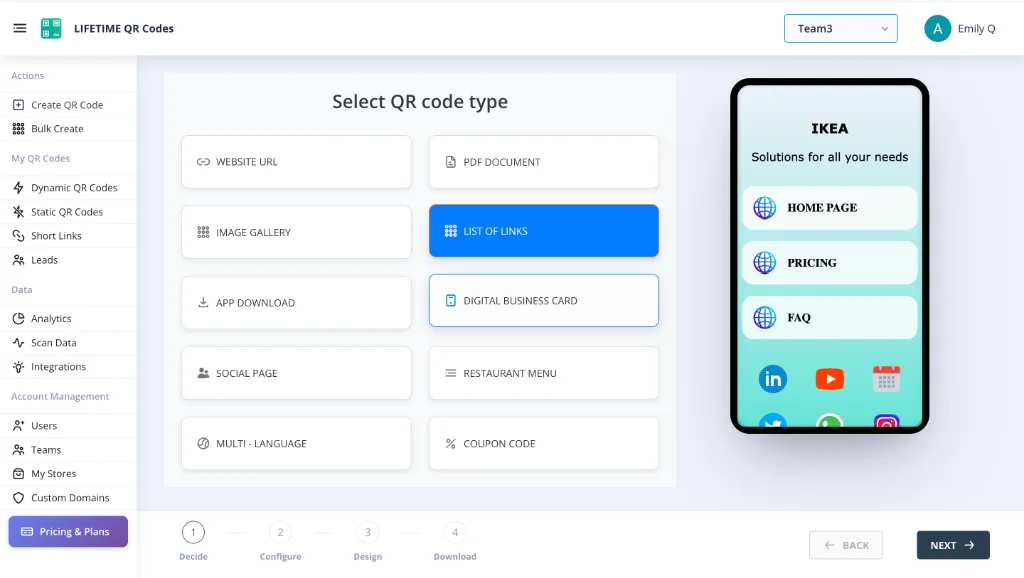
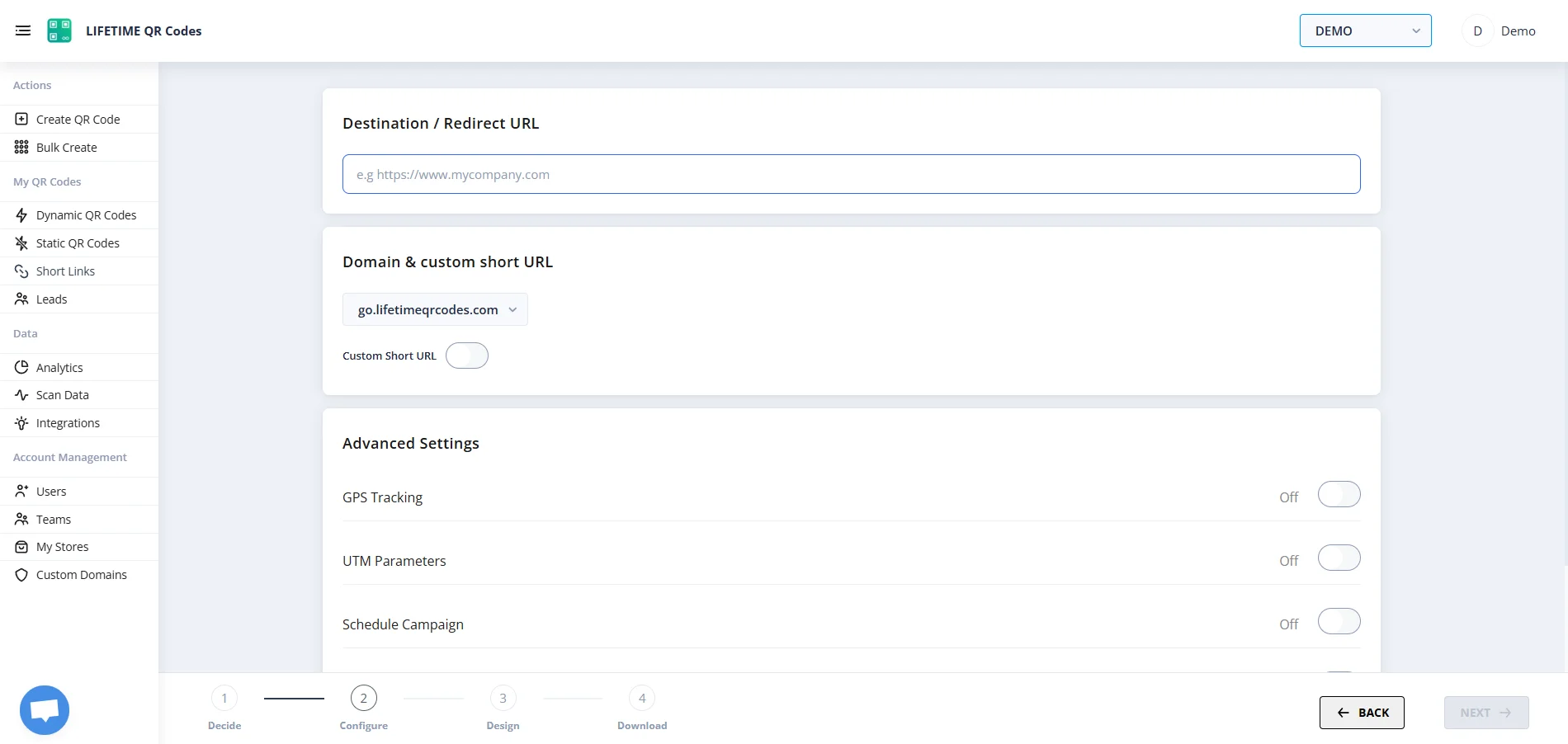
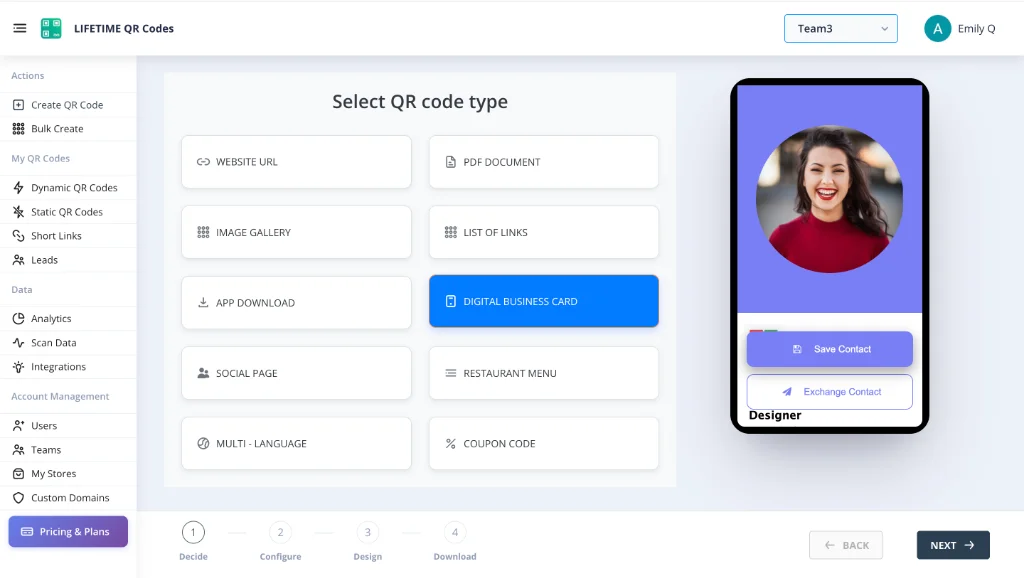
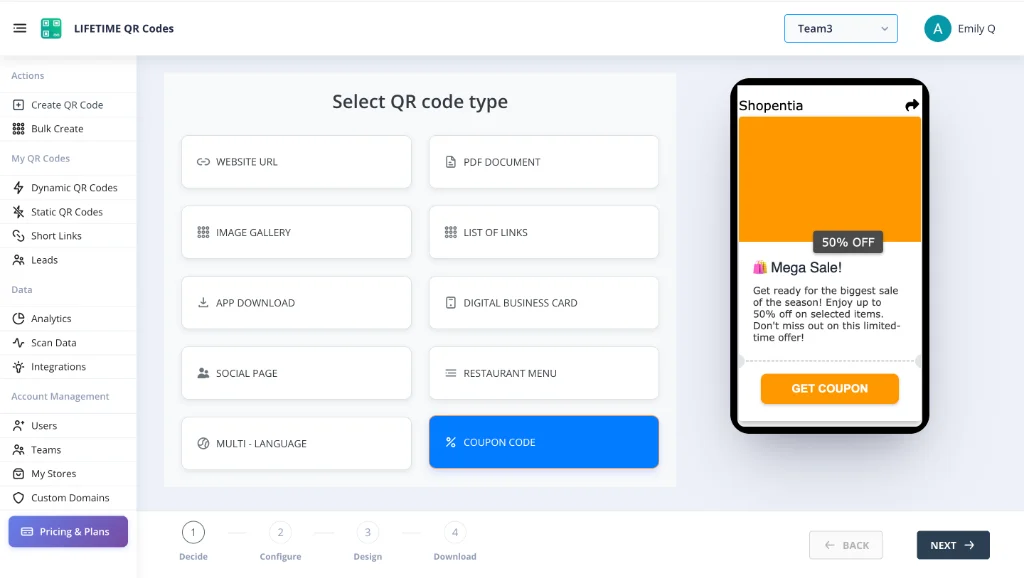
See the Platform In Action
Manage your permanent assets through an enterprise-grade dashboard designed for simplicity and power.
Lifetime QR Codes Analytics
See scans, devices, and top links at a glance — no subscription required.
Total scans
12,407
+26% vs previous period
Unique visitors
8,291
Last 24h
412
Avg scans / QR
4
Peak
Wednesday 14:00–15:00
Last 7 days
Daily scans
By device
By OS
Top regions
Top QR codes
- Menu – Main3,124
- Business Card vCard2,891
- Product Page2,103
- Event RSVP1,842
- PDF – Brochure1,247
Frequently Asked Questions
Is a QR code tattoo a good idea?
It can be an amazing and unique concept if done correctly. Using a dynamic, lifetime QR code ensures you won't be stuck with a broken link years from now.
Can I change the link after getting the tattoo?
Yes! That is exactly what our platform does. You log in, update the URL, and your existing physical tattoo instantly points to the new destination.
Will my tattoo stop working?
As long as the tattoo ink remains crisp and scannable by a camera, our permanent redirect infrastructure guarantees the digital link will work.
What happens if my website changes?
No problem. Just update the destination link in your Lifetime QR dashboard. The tattoo itself does not need to change.
Do I need a subscription?
No. We charge a simple, one-time payment. Monthly subscriptions for a permanent tattoo are a terrible idea because if a payment fails, your tattoo breaks.
How long will the QR code work?
Forever. Our platform is built on permanent redirect architecture backed by a service continuity guarantee.
Can I use a QR tattoo for Instagram?
Absolutely. You can link it to Instagram now, and if you ever want to change it to a different social media platform later, you can.
Can I link multiple destinations?
You can link your QR code to a "Linktree" style profile (which we provide via our Micro Site builder) to showcase multiple links from one scan.
Can I track scans?
Yes, our dashboard provides detailed analytics on scan volume, locations, and device types.
What size should a QR tattoo be?
Consult with an experienced tattoo artist, but generally, QR codes should be at least 2x2 inches on a flat surface of skin to ensure cameras can easily read the pixels.
What happens if I change careers?
If your tattoo links to your professional portfolio and you switch careers, simply change the URL in your dashboard to point to your new ventures.
Can I test the QR code before tattooing?
Yes! We strongly recommend printing the generated QR code on paper at the exact intended size and testing it with multiple phones before applying the stencil.
Get a Tattoo-Safe QR Code That Can Change With You
Your tattoo stays the same. Your destination can evolve forever.
Create My Lifetime QR Code