Set up a QR code that never expires, in five steps

Picture 10,000 product boxes with a code that links to your product guide. Months later a customer scans it and gets a dead page. The print is fine. The subscription behind it lapsed.

This page explains why that happens, how to choose a QR code generator that does not expire your codes, and the five steps that make a code last as long as the thing it is printed on.

Read the 5 steps

One payment per editable code. No subscription, no scan limits.

What happens to every scan

  1. The printed code

    Encodes a short link. This part never breaks.

  2. Disabled

    The redirect server

    Plan lapsed or scan cap hit. The provider stops forwarding scans.

  3. Never reached

    Your page

    The customer sees an error instead of your product guide.

On a subscription: the redirect server is disabled and your page is never reached.

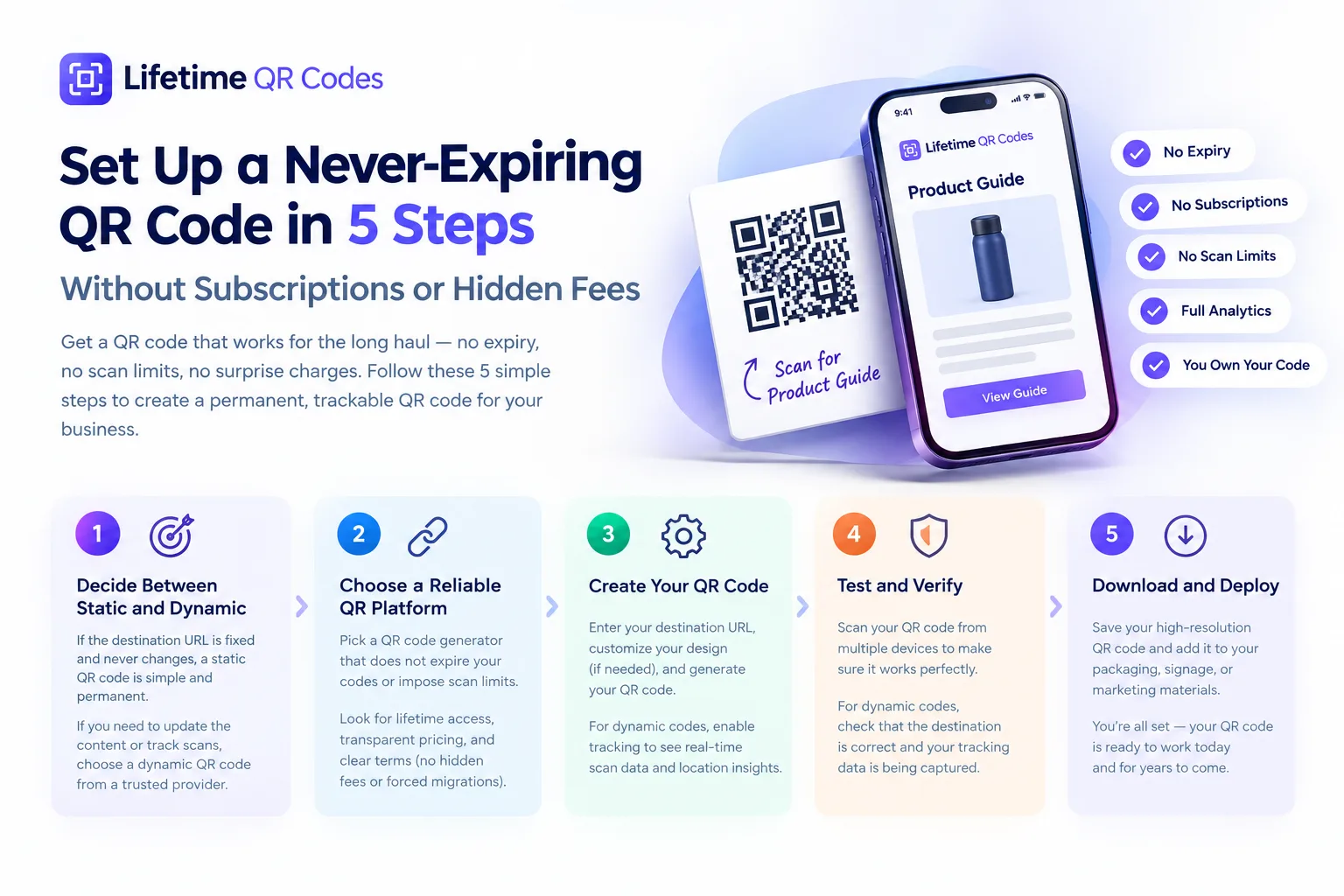
Set up a never-expiring QR code in 5 steps without subscriptions or hidden fees: 1. Decide between static and dynamic. 2. Choose a reliable QR platform that does not expire your codes or impose scan limits. 3. Create your QR code. 4. Test and verify it on multiple devices. 5. Download and deploy it on packaging, signage or marketing materials. Includes no expiry, no subscriptions, no scan limits, full analytics, and you own your code.
The five steps at a glance. Each one is explained in detail below.

Why QR codes stop working (it’s rarely the code’s fault)

A dynamic QR code doesn’t link to your website. It encodes a short URL on your provider’s servers, and that server forwards each scan to your real destination. Every scan depends on that middle step, and most people never see it.

That dependency fails in a few predictable ways:

Subscription lapses
Cancel, downgrade or miss a payment, and many providers switch redirects off. Every printed copy goes dead at once.
Scan caps
Entry-level plans often pause redirects after a monthly scan limit. For a menu, that can happen in the middle of dinner service.
Inactivity rules
Some providers disable codes on accounts that haven’t logged in for a while. The threshold varies and is easy to miss.
Shutdowns and migrations
If a provider closes, is acquired or retires a pricing tier, its redirect domain can disappear with it.

None of these are bugs. They are how subscription pricing keeps customers paying. For a label in a supply chain that lasts years, a lapsed plan isn’t a temporary problem. It’s a reprint.

How to pick a QR code generator that does not expire your codes

The format you choose when you create the code decides how long it can last. The two formats fail in different ways.

Static and dynamic QR codes compared
FeatureStaticDynamic
How it worksDestination encoded directly in the patternShort link on a provider’s server, forwarded to your destination
Can it expire?No. Works as long as the linked page is liveOnly as long as the provider keeps the redirect on
Edit after printingNo. A new destination means a reprintYes, anytime, with no reprint
Scan analyticsNot possibleYes
Main riskThe destination URL movingThe provider’s pricing and continued operation

A dynamic code on a scan-limited plan is a countdown. A dynamic code on a platform that promises, in writing, to keep redirects on is a long-term asset. The format isn’t the problem; the provider is. Full static vs dynamic comparison

The 5 steps to set up a never-expiring QR code

These apply whether you’re making one menu code or tagging thousands of assets.

  1. Step 1: Decide between static and dynamic

    If the destination will never change, a static code is the safest option: no server, no provider, nothing to renew. If you need to update the destination later (a seasonal promotion, a menu that changes each quarter), go dynamic, on a platform that commits to keeping redirects running.

    Done when: You know whether this code will ever need a new destination.

  2. Step 2: Read the terms before you generate anything

    Look for what happens on cancellation, after a period of inactivity, when you hit a scan limit, and when you downgrade. A QR code generator that does not expire codes says so plainly: codes stay active regardless of billing status. If the terms are vague, assume the worst.

    Done when: The terms say in writing that codes keep working if you stop paying.

  3. Step 3: Protect the redirect domain

    For dynamic codes, the redirect domain is the piece everything depends on. Either point a short domain you own at your provider, so you can re-point it if you ever switch, or use a provider with a written continuity guarantee for its redirect infrastructure.

    Done when: You own the domain, or the provider guarantees it in writing.

  4. Step 4: Export in more than one format and keep backups

    Before any print run, download the code as SVG (or PDF/EPS) as well as PNG. Vector files scale without quality loss and can be reused if you ever migrate. Keep copies in cloud storage and locally.

    Done when: SVG and PNG files are saved in two places.

  5. Step 5: Test a physical sample before the full run

    Print one sample and scan it from several phones and angles. Confirm the page loads and, if you track scans, that the scan shows up in your analytics. Catching a problem on one sample is cheap; catching it on shipped packaging is not.

    Done when: A printed sample scans on at least two different phones.

Check any generator against this list

Plenty of tools say “permanent”. Tick off what the one you’re considering actually puts in writing.

Generator checklist

0 of 6 checked. Every unchecked item is a way your printed codes can stop working.

Where a permanent code matters most

Product packaging and retail labels

Packaging lives in supply chains, on shelves and in homes for years after printing. A code that depends on a renewing subscription is a liability at that timescale; a one-time code removes the renewal risk entirely.

Static vs dynamic for packaging

Restaurant menus and hospitality

Menus need two things at once: edits without reprinting, and uptime during service. That means a dynamic code with no scan caps, from a provider that will not switch it off over a missed payment.

Lifetime QR codes for menus

Asset tags and compliance labels

Equipment, containers and facility tags link to manuals, maintenance logs and certificates, and stay in service for many years. They need a redirect that survives provider changes, which is what a continuity guarantee or your own domain provides.

Our Service Continuity Guarantee

How Lifetime QR Codes handles it

Most QR platforms are built around monthly revenue. We built the opposite: pay once per code, and your printed materials keep working.

$49 once per editable code
No monthly fee, no plan tiers, volume discounts for larger orders.
Redirects stay on
Codes keep working regardless of billing status. There is no billing to lapse.
No scan limits
Unlimited scans, with real-time analytics and exportable data.
Print-ready files
Download PNG, SVG, PDF and EPS at any size.
Built for volume
Bulk creation, folders for campaigns, and GA4 or CSV export.
Written continuity
60 days’ notice and at least 6 months of redirects if we ever close, plus a full export.

Want your own redirect domain (for example qr.yourbrand.com)? That’s an optional add-on at $10/month or $100/year. Your codes don’t need it to keep working. Read the Service Continuity Guarantee

Questions people ask

Is there a QR code generator that does not expire?

Yes. Static codes never expire because the destination is encoded in the pattern itself. For editable (dynamic) codes, choose a generator that charges once per code and states in its terms that redirects stay active regardless of billing. Lifetime QR Codes works this way: $49 once per editable code, with no subscription.

Why did my QR code stop working?

Almost never because of the printed image. Dynamic codes route every scan through the provider’s redirect server, so a lapsed subscription, a scan cap, an inactive account or a provider shutting down will break the code even though the print is fine.

Can I change where a never-expiring QR code points?

With a dynamic code, yes: you change the destination in your dashboard and every printed copy follows, with no reprint. Static codes cannot be changed after printing.

What happens to my codes if Lifetime QR Codes ever shuts down?

Our Service Continuity Guarantee commits to 60 days’ advance notice and at least 6 months of continued redirect service, plus a full export of your code IDs and destinations and help migrating them.

Do I need my own domain?

No. Codes work on our redirect domain, which is covered by the continuity guarantee. Using your own domain (for example qr.yourbrand.com) is an optional add-on for teams that want full control of the redirect layer.

Make the decision before the print run, not after

Pick the right format, read the terms, protect the redirect, back up the files and test a sample. Do it with a QR code generator that does not expire on a billing clock, and you remove the usual reasons printed codes fail.

See volume pricing